> ## Documentation Index
> Fetch the complete documentation index at: https://docs.hedera.com/llms.txt
> Use this file to discover all available pages before exploring further.
# How to Connect MetaMask to Hedera
[**Download the MetaMask wallet**](https://metamask.io/download/), then configure the Hedera network/testnet settings in the MM network settings with one of the three methods below:
**➡** [**Connecting via HashScan**](#id-1.-connecting-via-hashscan)
**➡** [**Manual Method**](#id-2.-manual-method)
**➡** [**ChainList Method**](#id-3.-chainlist-method)
Each method offers its own advantages and caters to different user preferences. By the end of this guide, you'll be able to connect your MetaMask wallet to the Hedera network.
***
## 1. Connecting via HashScan
This new method allows you to connect to the Hedera network through HashScan:
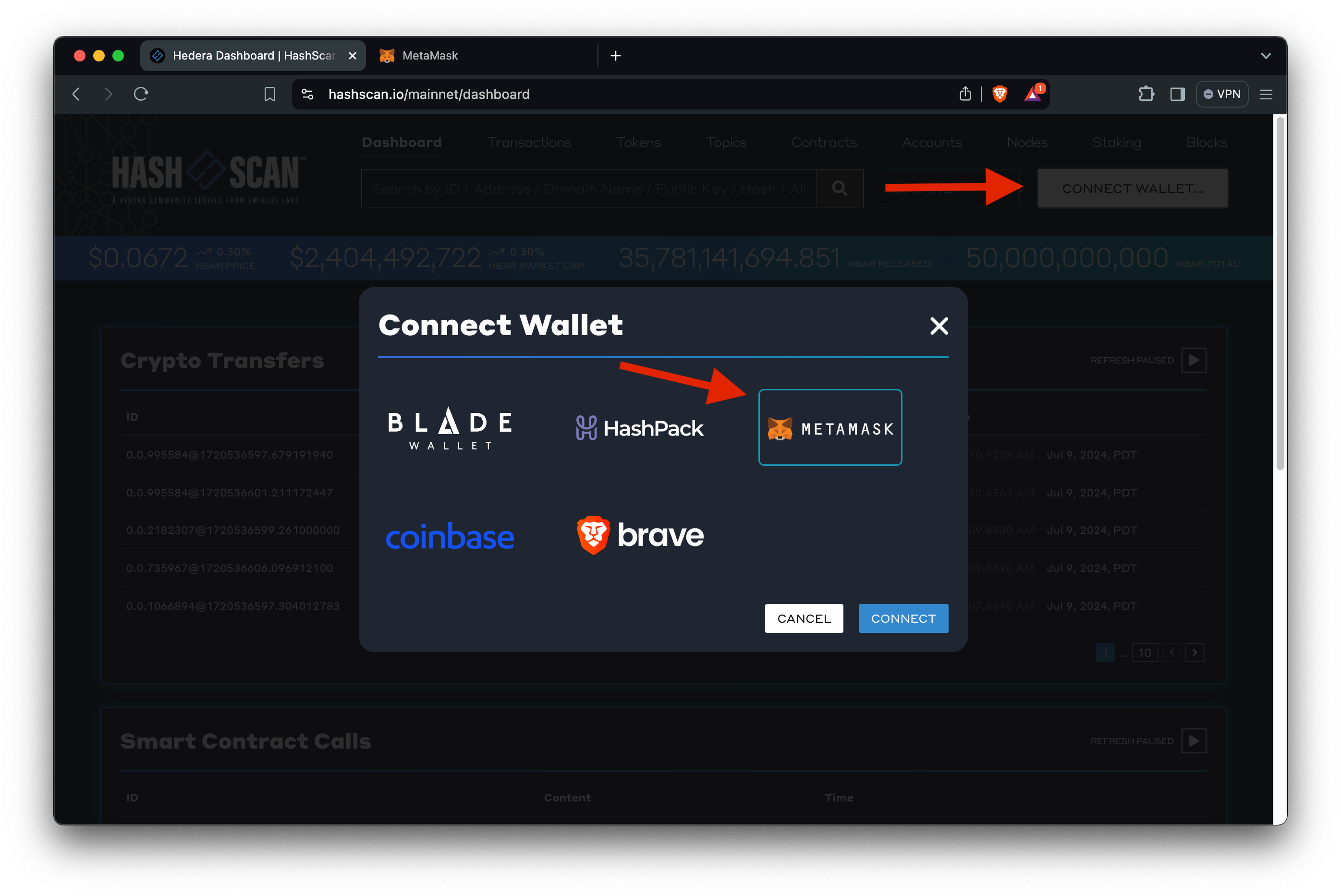
1. Go to [https://hashscan.io](https://hashscan.io/).
2. Click on the **Connect Wallet** button in the top right corner.
3. Select 🦊 **MetaMask** from the list of wallet options.
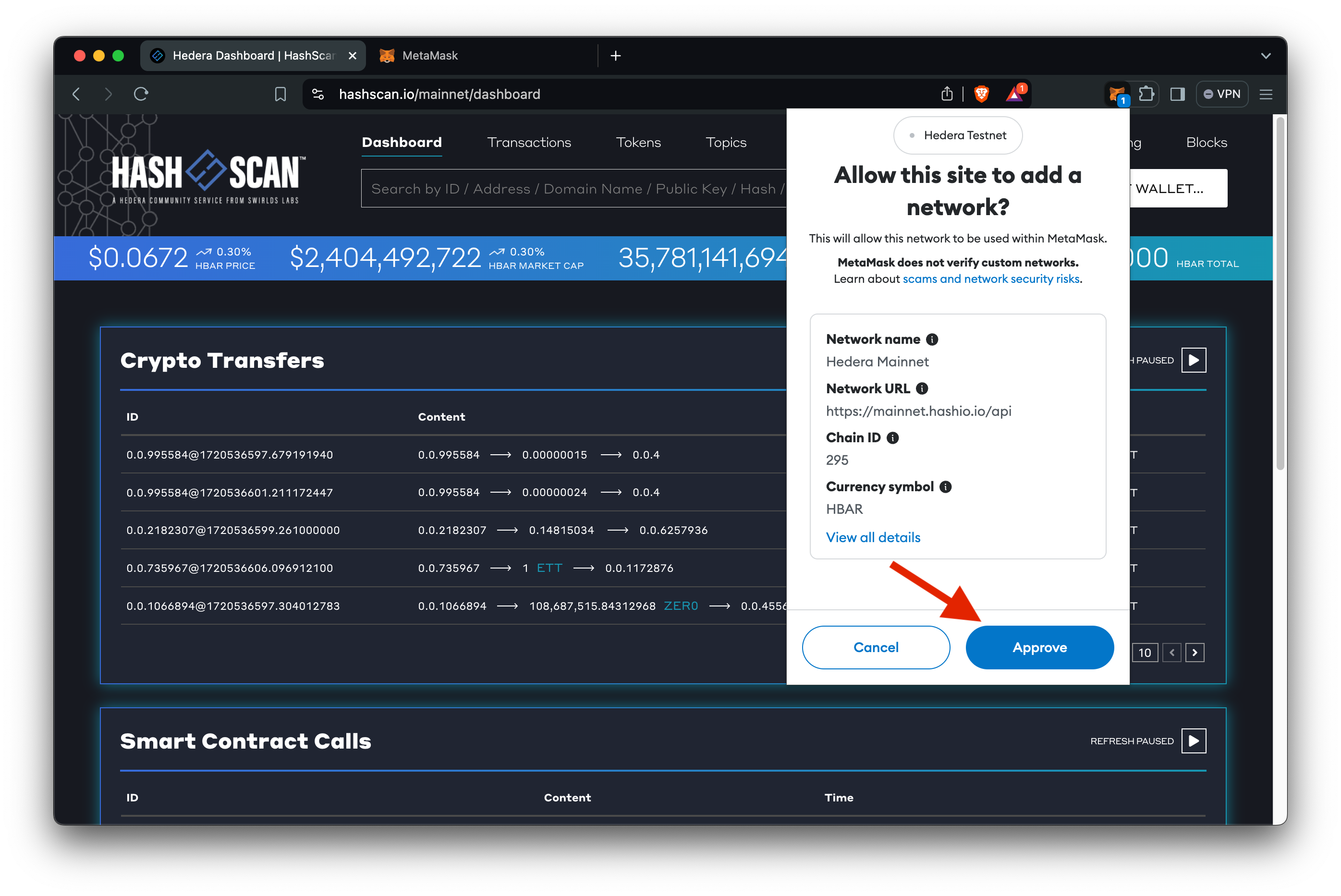
4. If you haven't added the Hedera network to MetaMask yet, HashScan will prompt you to add it.
5. Click **Approve** to add the Hedera network to MetaMask.
6. Once added, you can switch to the Hedera network in MetaMask.
{" "}
***
## 2. Manual Method
1. Open MetaMask and click on the network dropdown at the top.
2. Select **Add Network** and then **Add Network Manually**.
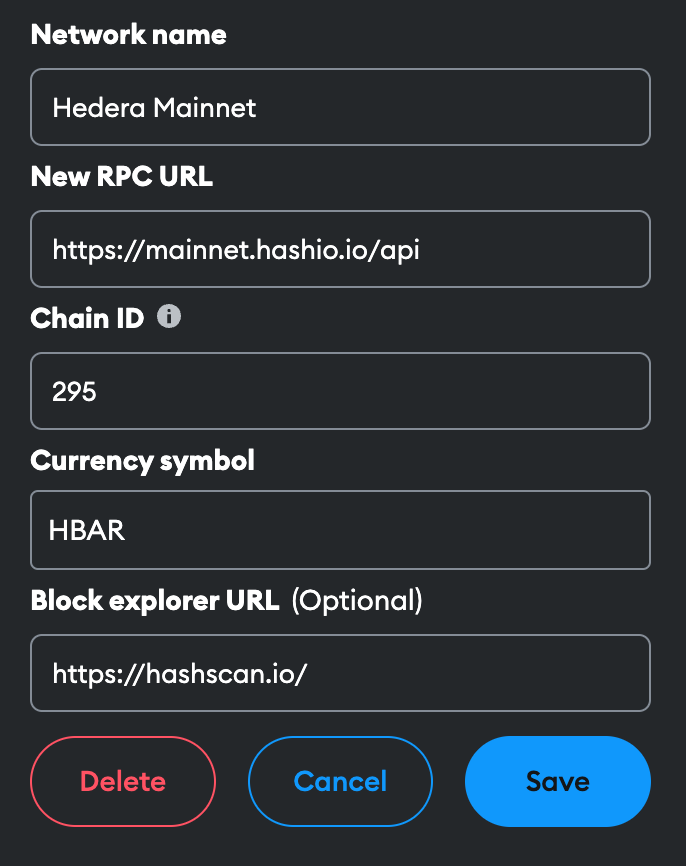
3. Enter the following details:
* **Network Name**: Hedera Mainnet
* **New RPC URL**: [https://mainnet.hashio.io/api](https://mainnet.hashio.io/api)
* **Chain ID**: 295
* **Currency Symbol**: HBAR
* **Block Explorer URL**: [https://hashscan.io/mainnet/](https://hashscan.io/mainnet/)
4. Click **Save** to add the Hedera Mainnet to MetaMask.
Choose the appropriate endpoint based on whether you want to connect to Mainnet, Testnet, or Previewnet.
**Mainnet**
* [https://mainnet.hashio.io/api](https://mainnet.hashio.io/api)
* [https://295.rpc.thirdweb.com](https://295.rpc.thirdweb.com)
**Testnet**
* [https://testnet.hashio.io/api](https://testnet.hashio.io/api)
* [https://296.rpc.thirdweb.com](https://296.rpc.thirdweb.com)
**Previewnet**
* [https://previewnet.hashio.io/api](https://previewnet.hashio.io/api)
* [https://297.rpc.thirdweb.com](https://297.rpc.thirdweb.com)
**Note**: [Hashio](https://swirldslabs.com/hashio/) is currently in beta & for
testing purposes only.
***
## 3. ChainList Method
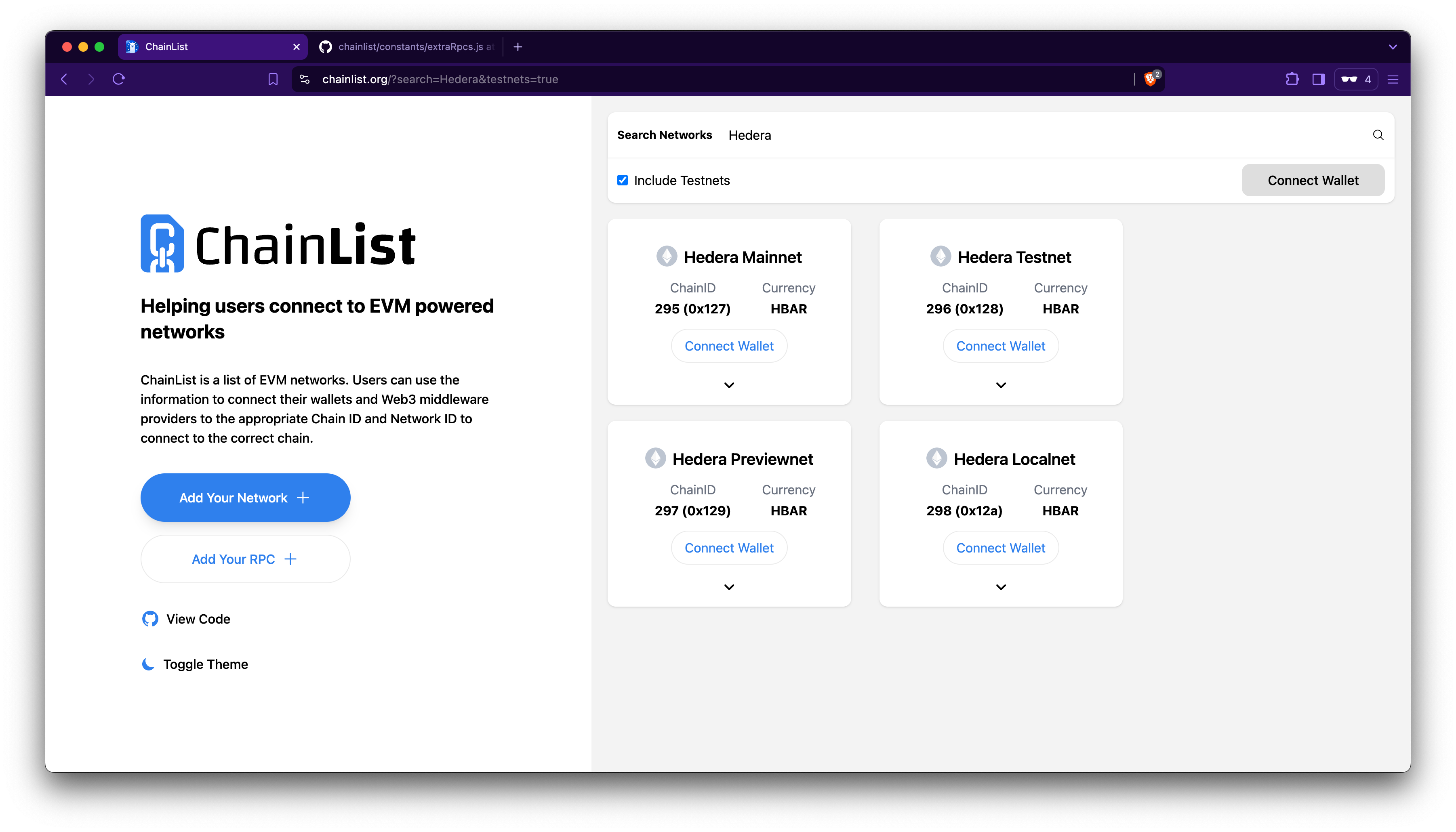
Alternatively, connect MetaMask to Hedera using ChainList:
1. Go to [https://chainlist.org/?search=hedera](https://chainlist.org/?search=hedera).
2. Click **Connect Wallet**.
3. Choose your account to connect, click **Next**, and **Connect**.
4. Select a network (Hedera Mainnet, Testnet, Previewnet, Localnet), click **Add to MetaMask**, and then click **Approve**.
 ***
[GitHub](https://github.com/theekrystallee) |
[X](https://x.com/theekrystallee) |
[Hashnode](https://hashnode.com/@theekrystallee)
[GitHub](https://github.com/bguiz) | [Blog](https://blog.bguiz.com/)
***
[GitHub](https://github.com/theekrystallee) |
[X](https://x.com/theekrystallee) |
[Hashnode](https://hashnode.com/@theekrystallee)
[GitHub](https://github.com/bguiz) | [Blog](https://blog.bguiz.com/)