

Hedera account is your identity on‑chain. It holds your HBAR (the network’s currency) and lets you sign transactions.
Get a testnet account from the portal
Before writing any code, get a funded testnet account and its keys from the developer portal. You can also submit your first transaction straight from the browser-based playground, with no setup.1
Open the playground
OPEN PLAYGROUND
2
Submit a Transfer HBAR transaction
Under Account & HBAR, select Transfer HBAR from the left navigation.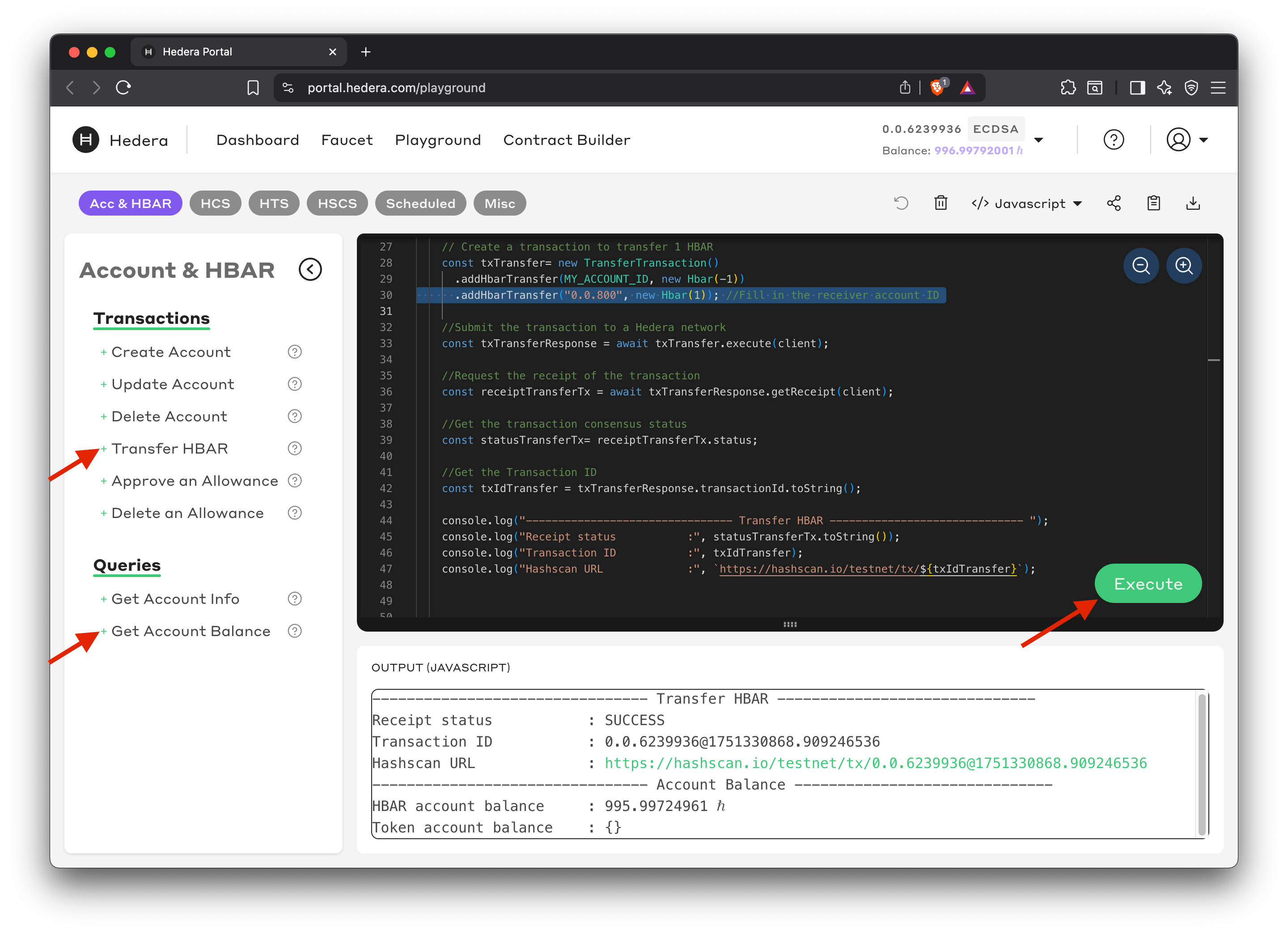
- Replace
receiverAccountwith account ID0.0.800. - Then click Get Account Balance under Queries.
3
Create your testnet account
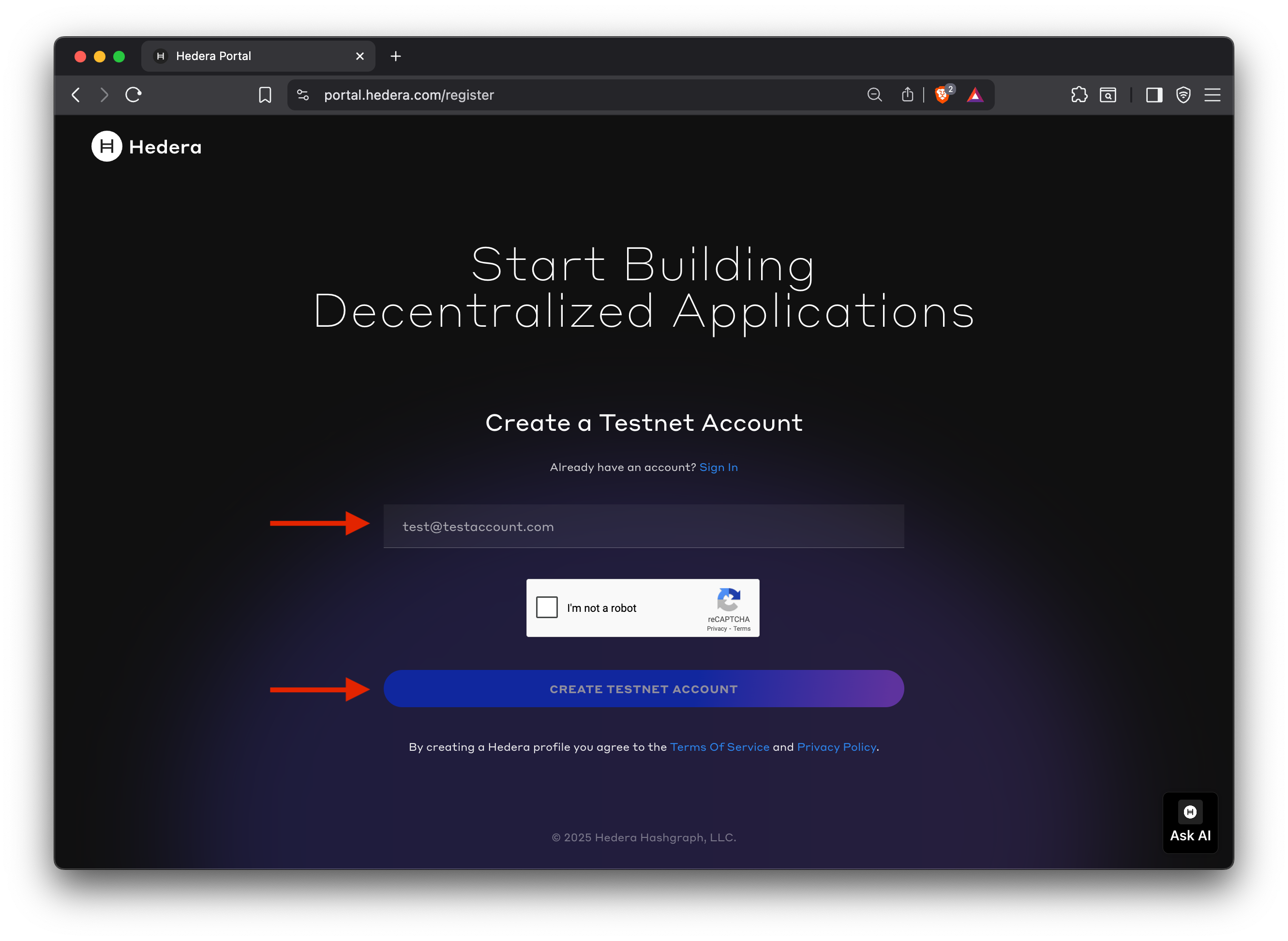
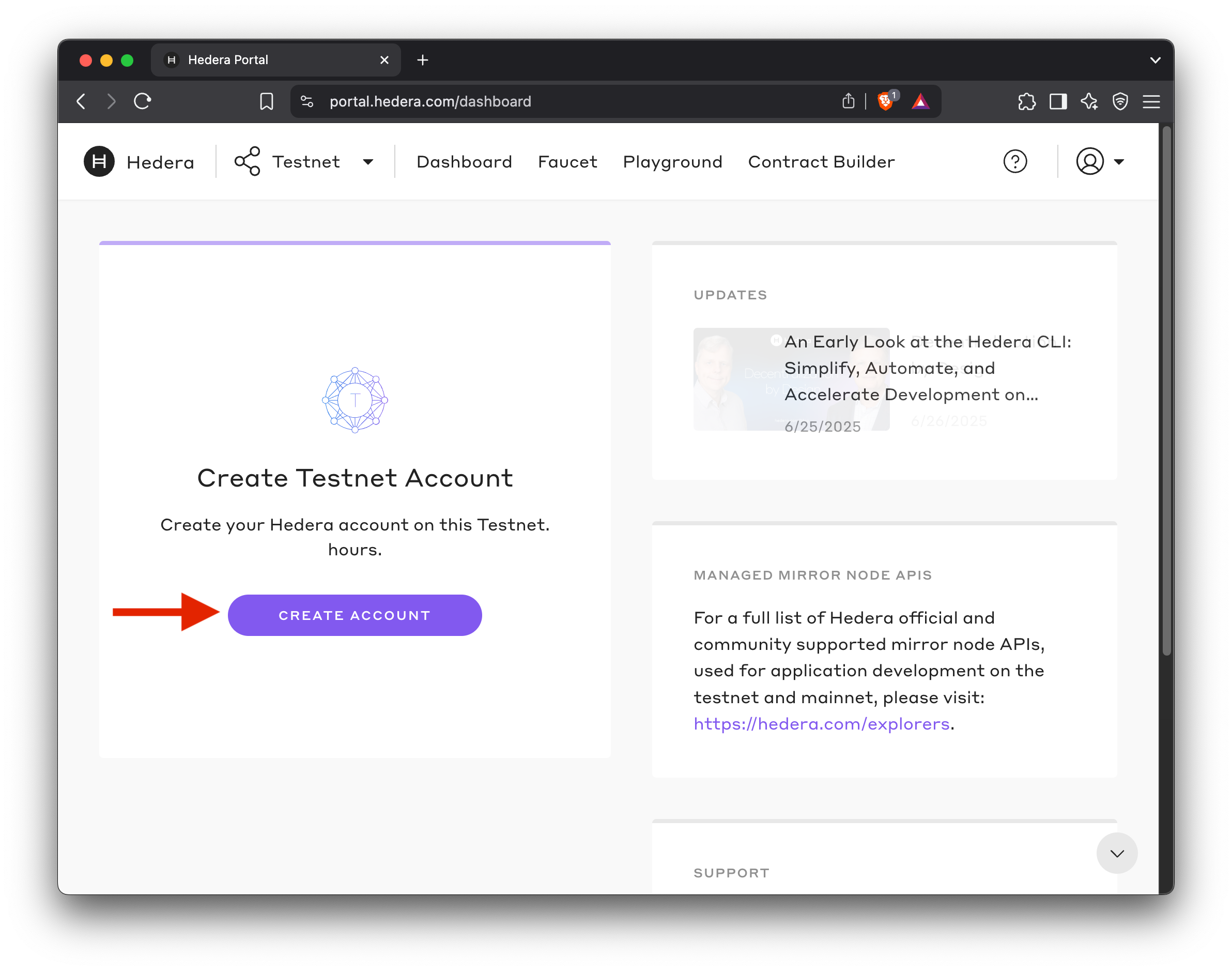
When you click Execute, you are prompted to sign up for a developer portal account. Once logged in, click CREATE ACCOUNT to complete the testnet account creation flow. Your new account is automatically funded with 1000 HBAR.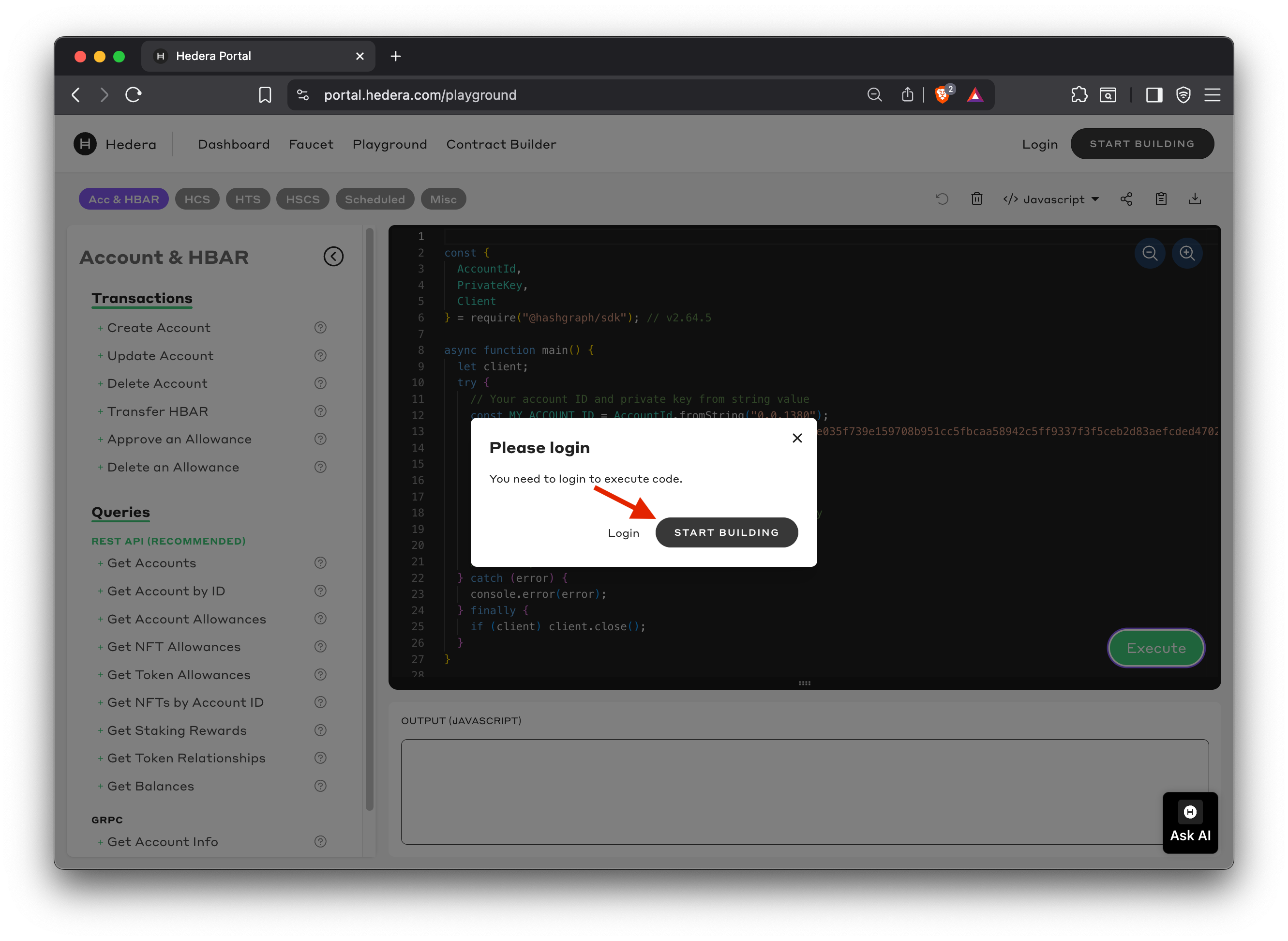
4
Copy your account ID and key
View your account ID and ECDSA key pair from the portal dashboard. Use the account ID as your 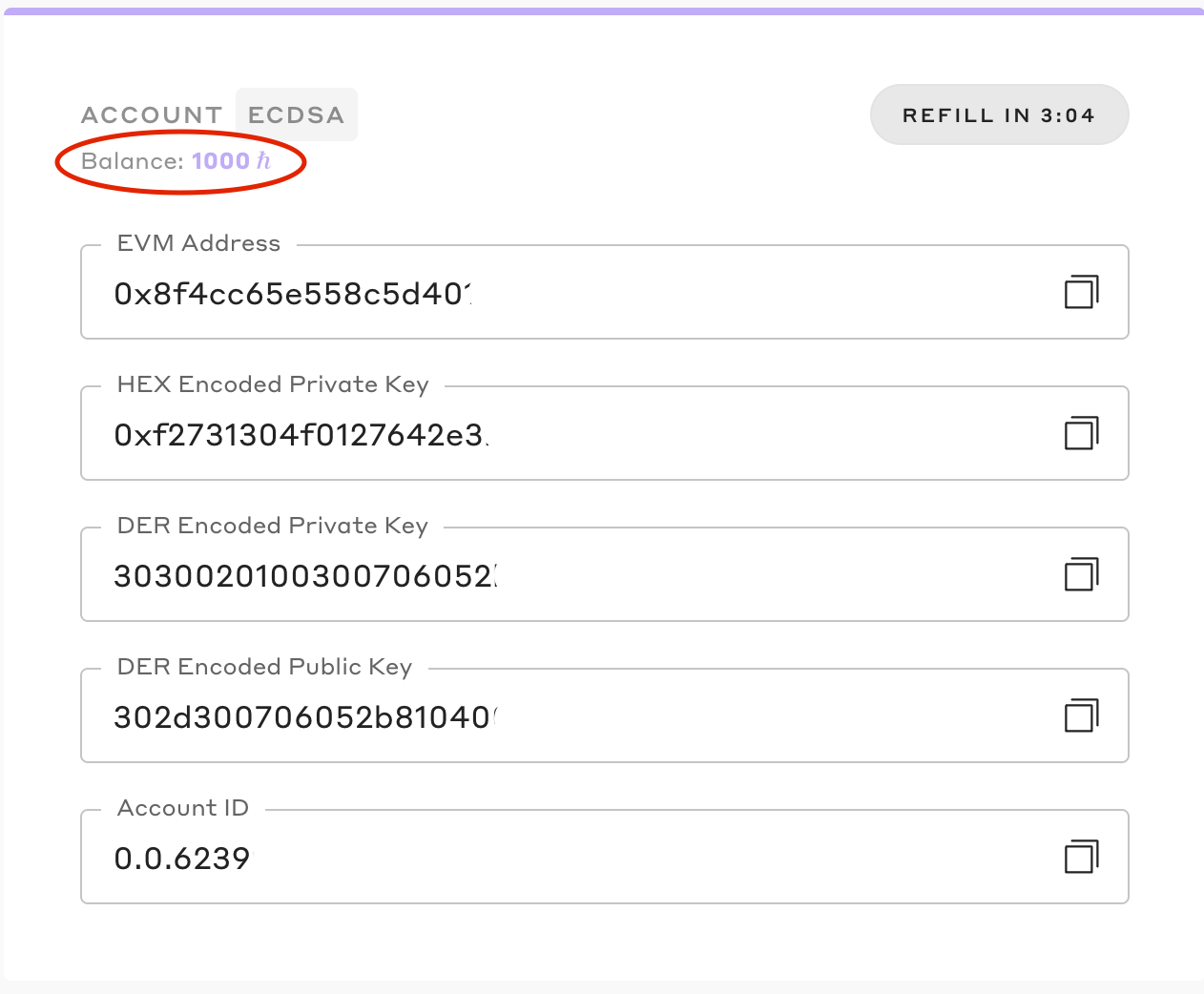
OPERATOR_ID and the DER Encoded Private Key (starts with 303...) as your OPERATOR_KEY in the steps below.Prerequisites
- A Hedera testnet operator account ID and ECDSA DER-encoded private key (from the portal above).
- A small amount of testnet HBAR (ℏ) to pay the
$0.05account‑creation fee.
NoteYou can always check the ”✅ Code Check” section at the bottom of each page to view the entire code if you run into issues. You can also post your issue to the respective SDK channel in our Discord community here.
Install the SDK
- JavaScript
- Java
- Go
- Python
Open your terminal and create a directory Initialize a Ensure you have Node.js Update your Create a
hedera-examples directory. Then change into the newly created directory:node.js project in this new directory:v18 or later installed on your machine. Then, install the JavaScript SDK.package.json file to enable ES6 modules and configure the project:createAccountDemo.js file and add the following imports:Environment Variables
Set your testnet operator credentials as environment variables. YourOPERATOR_ID is your testnet account ID. Your OPERATOR_KEY is your testnet account’s corresponding ECDSA private key.
Step 1: Initialize Hedera Client
Load your operator credentials from environment variables and initialize your Hedera testnet client. This client will connect to the Hedera test network and use your operator account to sign transactions and pay transaction fees.Step 2: Generate a New Key Pair
Generate a new ECDSA private/public key pair for the account you’ll create.Why keys?
On the Hedera network, a private key allows you to sign transactions, ensuring only you control your assets, while a public key, shared on-chain, verifies your identity. This key pair is essential for account security.Step 3: Create Your First Account on Hedera
Build anAccountCreateTransaction with the new public key and initial balance, then execute it. Specify the public key , an optional initial HBAR balance, and once you execute it, the network creates the account and returns the new AccountId in the receipt.
Step 4: Query the Account Balance Using Mirror Node API
Use the Mirror Node REST API to check your new account’s HBAR balance. Mirror nodes provide free access to network data without transaction fees. API endpoint:{accountId}- Your new account ID from the creation transaction
Why this endpoint? This endpoint queries account balances directly by account ID. It returns detailed information including HBAR balance in tinybars, making it ideal for verifying the new account was funded with the expected initial balance.Example URLs:
✅ Code check
Before running your project, verify your code matches the complete example:JavaScript
JavaScript
Java
Java
Go
Go
Python
Python
Run Your Project
Ensure your environment variables are set:- JavaScript
- Java Maven
- Java Gradle
- Go
- Python
Expected sample output:
‼️ Troubleshooting
Common ERROR messages and solutions ⬇️
Common ERROR messages and solutions ⬇️
What just happened?
- The SDK built an
AccountCreateTransactionand signed it with your operator key. - A consensus node validated the signature and charged the account creation fee.
- After network consensus, a unique account ID and EVM address were assigned and returned in the receipt.
- The account was funded with 20 HBAR from your operator account.
- The Mirror Node API confirmed your new account exists with the expected balance.
Next steps
- Learn more about accounts
- Create a Token
- Explore more examples in the SDK repos (JavaScript, Java, Go)
🎉 Great work! You now control a brand new Hedera account secured by your fresh key pair. Keep the private key safe and never commit it to source control.