

Looking for the recommended replacement? Solo is a Kubernetes-native local network that replaces Local Node and is compatible with the Hiero SDKs. See the Solo quickstart to get started.
Prerequisites
- Node.js >= v14.x
- NPM >= v6.14.17
- Minimum 16GB RAM
- Docker >= v20.10.x
- Docker Compose >= v2.12.3
- Have Docker running on your machine with the correct configurations.
Docker configuration 🛠️
Docker configuration 🛠️
Ensure the 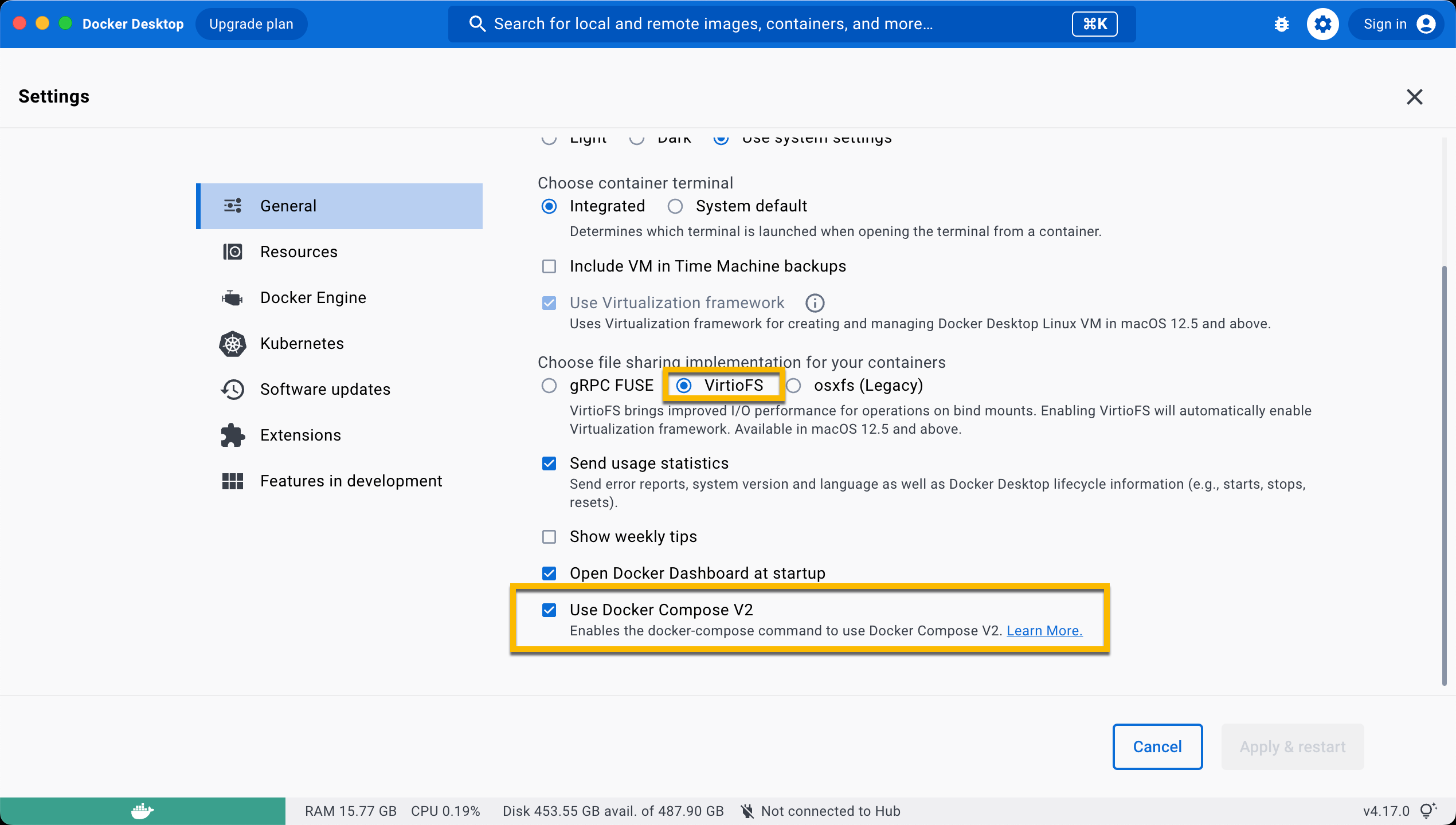
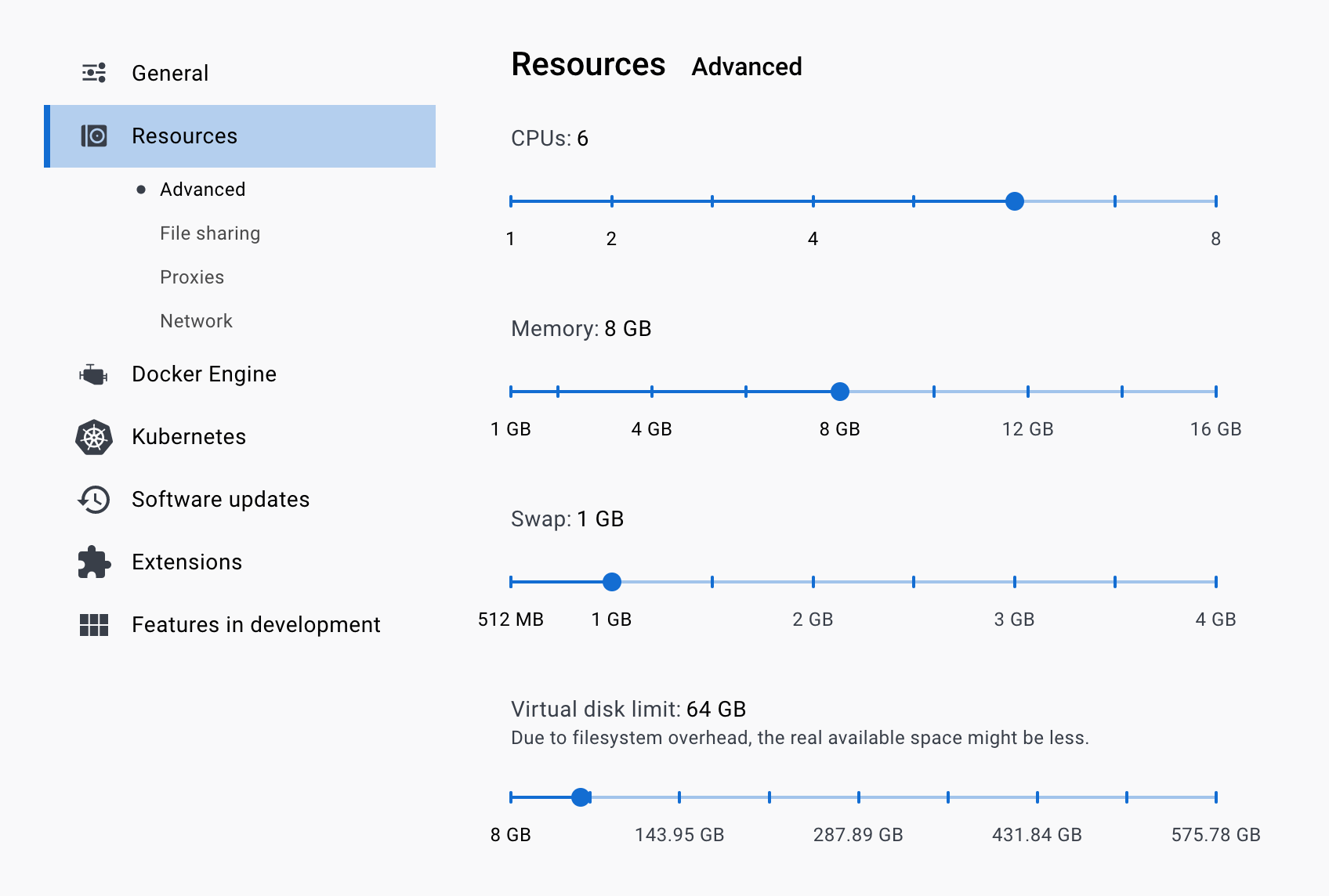
VirtioFS file sharing implementation is enabled in the docker settings.- CPUs: 6
- Memory: 8GB
- Swap: 1 GB
- Disk Image Size: 64 GB
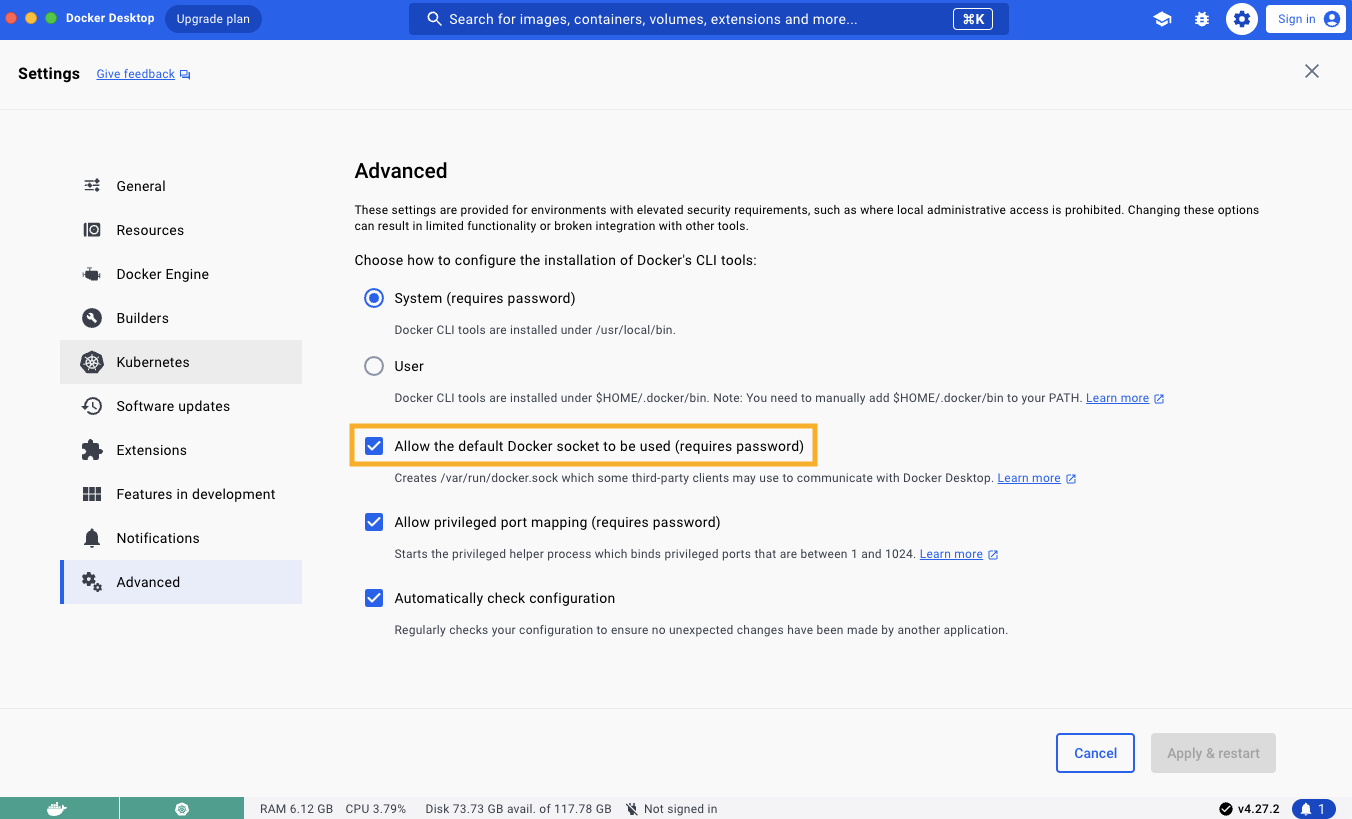
Allow the default Docker sockets to be used (requires password) is enabled in Docker Settings -> Advanced.Table of Contents
Start Your Local Network
Open a new terminal and navigate to your preferred directory where your Hedera Local Node project will live. Run the following command to clone the repo and install dependencies to your local machine:compose-network/mirror-node/init.sh by running this in WSL:
Generate Keys
To generate accounts with random private keys, run thegenerate-accounts command. Specify the number of accounts generated by appending the number to the hedera generate-account command. For example, to generate 5 accounts, run hedera generate-accounts 5.
hedera generate-accounts 5
hedera generate-accounts 5
Please note: Since the first 10 accounts generated are with predefined private keys, if you need 5 generated with random keys, you will run
hedera start 15. The same rule applies when you use the hedera generate-accounts command.LOCAL_NODE_OPERATOR_PRIVATE_KEY environment variable value in your .env file of your project.
Stop Your Local Network
To stop your local node, you can run thehedera stop command. If you want to keep any files created manually in the working directory, please save them before executing this command.
hedera stop
hedera stop
docker compose down -v; git clean -xfd; git reset --hard to stop the local node and reset it to its original state.
docker compose down -v; git clean -xfd; git reset --hard
docker compose down -v; git clean -xfd; git reset --hard